use cases

ward skill-mix review

Set what the ward needs, see it against the funded posts and the staff in post, test a new skill mix, and take the option you choose from need to plan.

ward skill-mix review

from need to plan

set the need

  • Care hours per patient day from beds, occupancy, and headroom
  • Or staff on each shift, weekdays and weekends, by staff group and grade
  • More beds or a higher standard from a month
  • Care hours per patient day for the need, the funded posts, and staff in post

test the skill mix

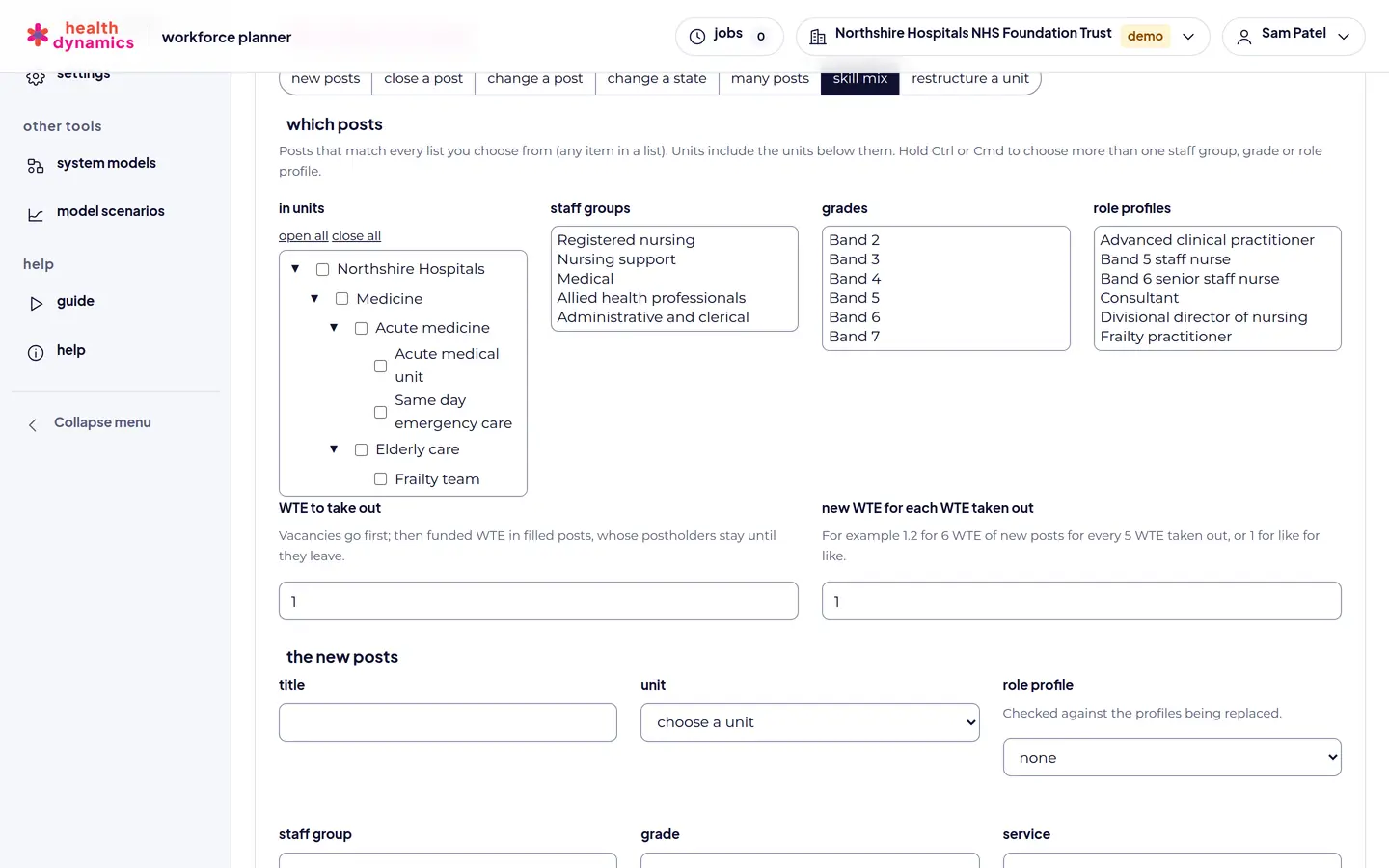
  • Take WTE out of the posts that match a rule, from vacancies first
  • Add new posts at a ratio, such as 1.2 nursing associates for each staff nurse
  • A check of the competencies the new posts cover, and those they do not
  • Postholders stay; their posts change as they leave

cost it

  • Pay from a rate card, with pay points from entry to the top of the band
  • Enhancements for unsocial hours, and pay protection after a regrade
  • Bank and agency cover for vacancies
  • Staffed beds, and the share of pay on bank and agency

decide and plan

  • An option drafted for you to close the gap to need
  • Options compared side by side, with a board pack
  • The chosen option adopted into the ward's plan
  • Undone while the changes are still planned
in the planner

what it looks like

From a fictional NHS trust, with illustrative figures.

Setting a ward staffing standard by beds, occupancy, care hours per patient day, headroom, and skill mix
Set the standard: care hours per patient day or staff on each shift.
A skill-mix option replacing registered nurse WTE with nursing associate posts
Test a skill-mix change, with a competency check.

how it works

  1. Load the ward's posts. From an ESR position extract, a finance file, or your own spreadsheet. A forecast that covers just the ward keeps the review focused.
  2. Set the standard. Care hours per patient day for a ward with beds, staff on each shift, or a set WTE for a team without beds, with the skill mix by staff group and grade.
  3. See the gap. Need, funded WTE, and staff in post side by side, by staff group and grade, month by month to the horizon, with care hours per patient day for each.
  4. Test options. Skill mix changes, new posts, closures, or a different standard, each from a month, compared on gap, cost, and staffed beds.
  5. Adopt the one you choose. Its changes become the ward's planned changes, post by post.

in the demo

A ward review fits the free demo: up to 50 posts, with every step above. The AI assistant, which drafts standards, skill mix changes, and options from a request in plain words, is a paid add-on.

see your own structure, then plan it

Any organisation can try Workforce Planner free in the demo, with up to 50 posts: enough to load a ward or a small team, see its structure, forecast it, and test options. Send us a request and we will be in touch to set up your organisation.

request demo access book a 20-minute walkthrough see pricing and discounts