use cases

directorate review of posts, structure, and funding

See every post in the directorate, how it is funded, and whether anyone is in it. Then test the changes, from freezing vacancies to restructuring departments, before any of them is planned.

directorate review

what a review covers

the structure today

  • Every post by unit or by line management, with totals at every level
  • Coloured by state, funding, staff group, grade, or WTE gap
  • Posts vacant, recruiting, frozen, or with the postholder away
  • The structure as it was a year ago, and as it is planned to be
funding

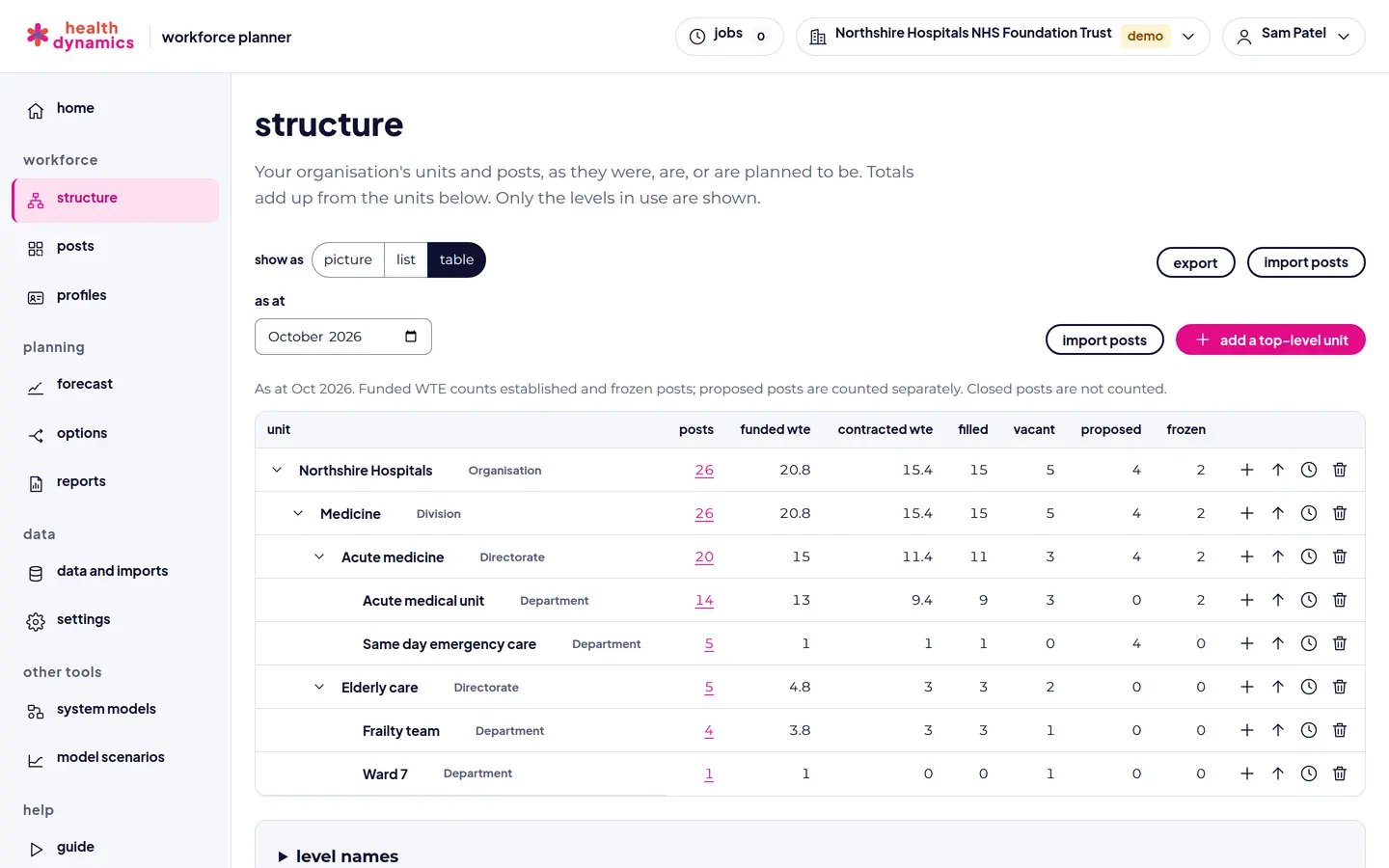
  • Funded against contracted WTE, with unfunded hours and vacancies
  • Externally funded posts, and what happens when funding ends
  • Hosted in and hosted out posts, with recharges
  • Budget totals by unit and financial year

changes to test

  • Freeze vacancies, close posts when vacated, or close them now
  • Change funded WTE, grade, or funding for many posts at once by rule
  • Rename, move, merge, or close units from a month
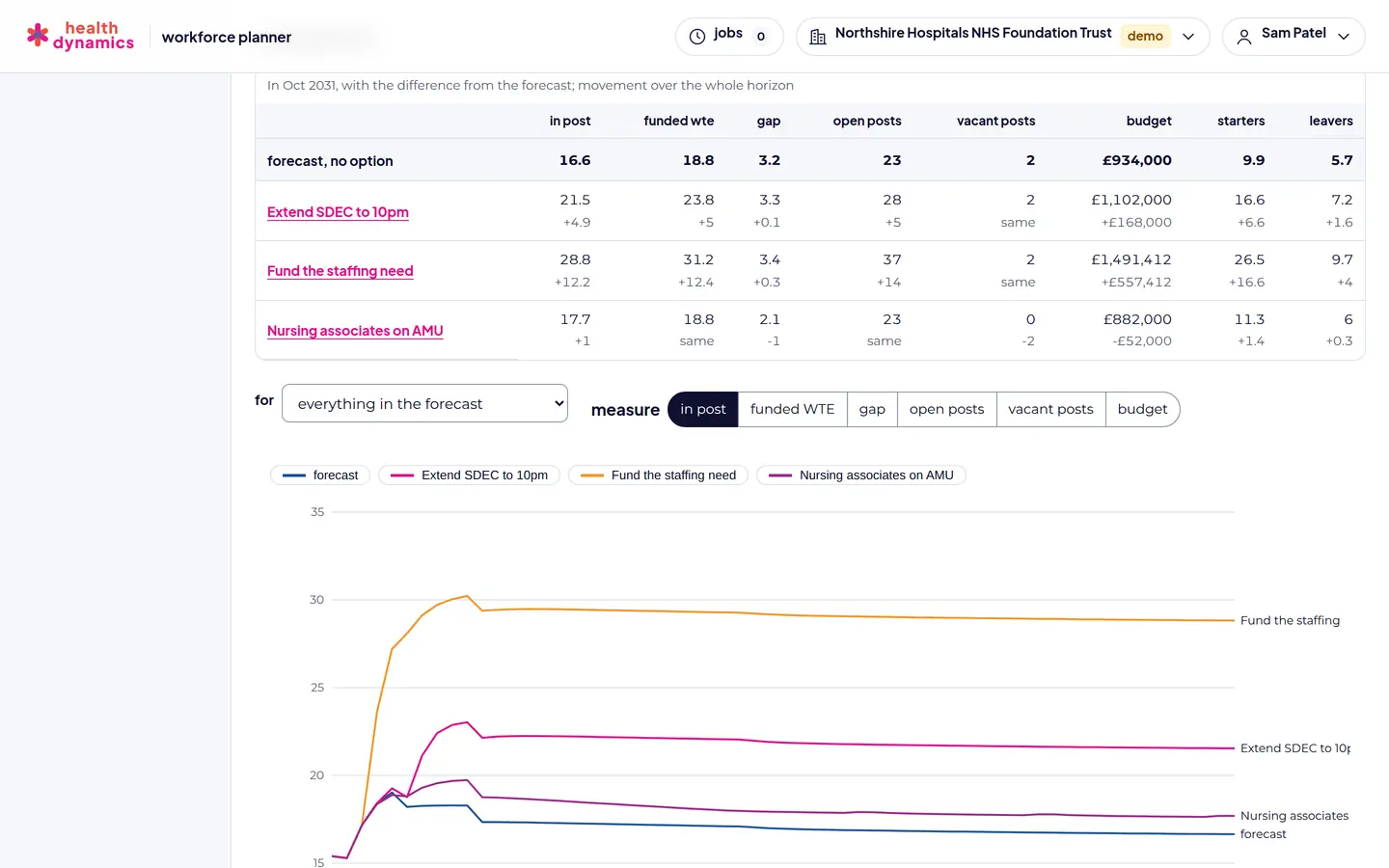
  • Compare options on posts, WTE, gap, cost, and service impact

from decision to plan

  • A board pack built on posts, with a sentence for each option
  • The option chosen adopted into the organisation's plan
  • Planned changes shown apart from what has happened
  • Every change a dated event, with a history and undo
in the planner

what it looks like

From a fictional NHS trust, with illustrative figures.

A directorates structure as a table: posts, funded and contracted WTE, filled, vacant, proposed, and frozen
The directorates posts and funding, with totals at every level.
Options for a directorate compared on staff in post, gap, and budget
Options compared side by side.

how it works

  1. Load the directorate's posts, or the whole organisation's, from your own file. A forecast can cover just the directorate, or a staff group or grade within it.
  2. Walk through the structure. The structure view is the picture an HR business partner can walk a director through: click a unit to focus on it, filter by service, staff group, funding, or state, and move the month slider to see funding ends and planned changes arrive.
  3. Set the assumptions. Leaving, internal moves, recruitment, and retirement, from your recorded history with a back-test, or set for particular posts.
  4. Build options. Each option is a set of planned changes and changed assumptions. Options never change the structure until you adopt one.
  5. Compare and decide. Options side by side on the measures that matter, and a board pack for the decision.

see your own structure, then plan it

Any organisation can try Workforce Planner free in the demo, with up to 50 posts: enough to load a ward or a small team, see its structure, forecast it, and test options. Send us a request and we will be in touch to set up your organisation.

request demo access book a 20-minute walkthrough see pricing and discounts